Free Software to Create Bespoke and Professional Email Templates

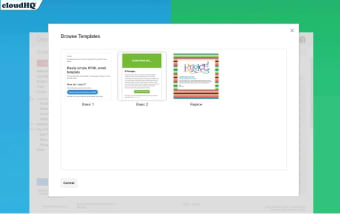
Gmail Email Templates is great for those who have been looking for a quick and easy way to install dozens of pre-formatted templates to use within a standard email. Drop-and-drag features allow this system to be quite efficient and as numerous skins are available, it is simple to create an eye-catching and professional template within minutes.

Features and Usability

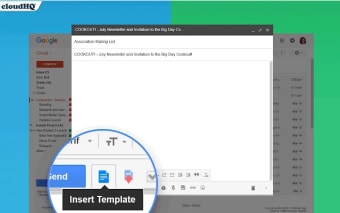
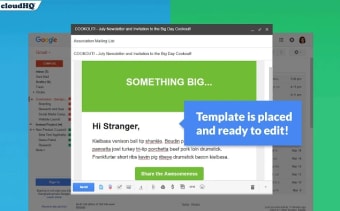
The user-friendly nature of Gmail Email Templates is a massive benefit to anyone who might not be familiar with creating HTML templates. As each has already been designed, the user will be able to select any option based off of its visual appeal and its layout. Each template can be opened directly within Gmail and once it has been personalised, it can be saved into a special folder. In the future, the email can be opened and created much like a standard document. Google Chrome will be required to support this software application.

Other Tools

This system is an ideal solution for business correspondences, party invitations and similar announcements. Fonts, colours and layouts can be modified when necessary. All templates can be saved onto a hard drive if required. Finally, Gmail Email Templates is free to use and new designs are being added on a regular basis.
  • Pros

    • It is free for anyone who has an existing Gmail account
    • Numerous different and eye-catching templates to choose from
  • Cons

    • Google Chrome is required in order to use this software
    • The variety of templates may not be comprehensive enough for some users
 0/4

App specs

  • License

    Free

  • Latest update

  • Platform

    Windows

  • OS

    Windows Vista

  • Language

    English

  • Downloads

    3K

  • Developer

Program available in other languages


User reviews about Gmail™ Email Templates

Have you tried Gmail™ Email Templates? Be the first to leave your opinion!

Add review

You may also like

Alternatives to Gmail™ Email Templates

Explore Apps

Latest articles

Laws concerning the use of this software vary from country to country. We do not encourage or condone the use of this program if it is in violation of these laws.
Softonic

Is Gmail™ Email Templates safe?

100/100

Score result: Clean

This file passed a comprehensive security scan using VirusTotal technology. It is safe to download.

  • Virus free
  • Spyware free
  • Malware free
  • Verified by Security Partners

    VirusTotal logo

Scan Info

Last scan
Sunday, January 14, 2024
Scan provider
VirusTotal

Softonic security commitment

Gmail™ Email Templates has been thoroughly scanned by our advanced security systems and verified by industry-leading partners. This file comes from the official developer and has passed all our security checks, showing no signs of viruses, malware, or spyware. For more information, visit our Security and Trust Center